
Latest release
Version 1.0.1This is the first release of BoldDocServer. It brings browser editing to SharePoint Server: users open Word, Excel and PDF files from a SharePoint library and work on them in a Syncfusion editor in the browser, while the files stay in SharePoint.
BoldDocServer runs in your own network as a Docker container and connects to SharePoint Server through WOPI, the same protocol Office Online Server used. SharePoint keeps storing the files and deciding who can open or change them.
Highlights
- SharePoint integration: open files from SharePoint Server libraries and save changes back to them through WOPI.
- Word and Excel editing: view, edit and auto-save documents and workbooks in the browser.
- PDF viewing: view, annotate and fill in PDF forms.
- Collaborative editing: several users work on the same document at the same time.
- Spell check: check spelling in Word documents.
- Configurable saving: set how often changes are saved and how often a new version is committed.
SharePoint integration
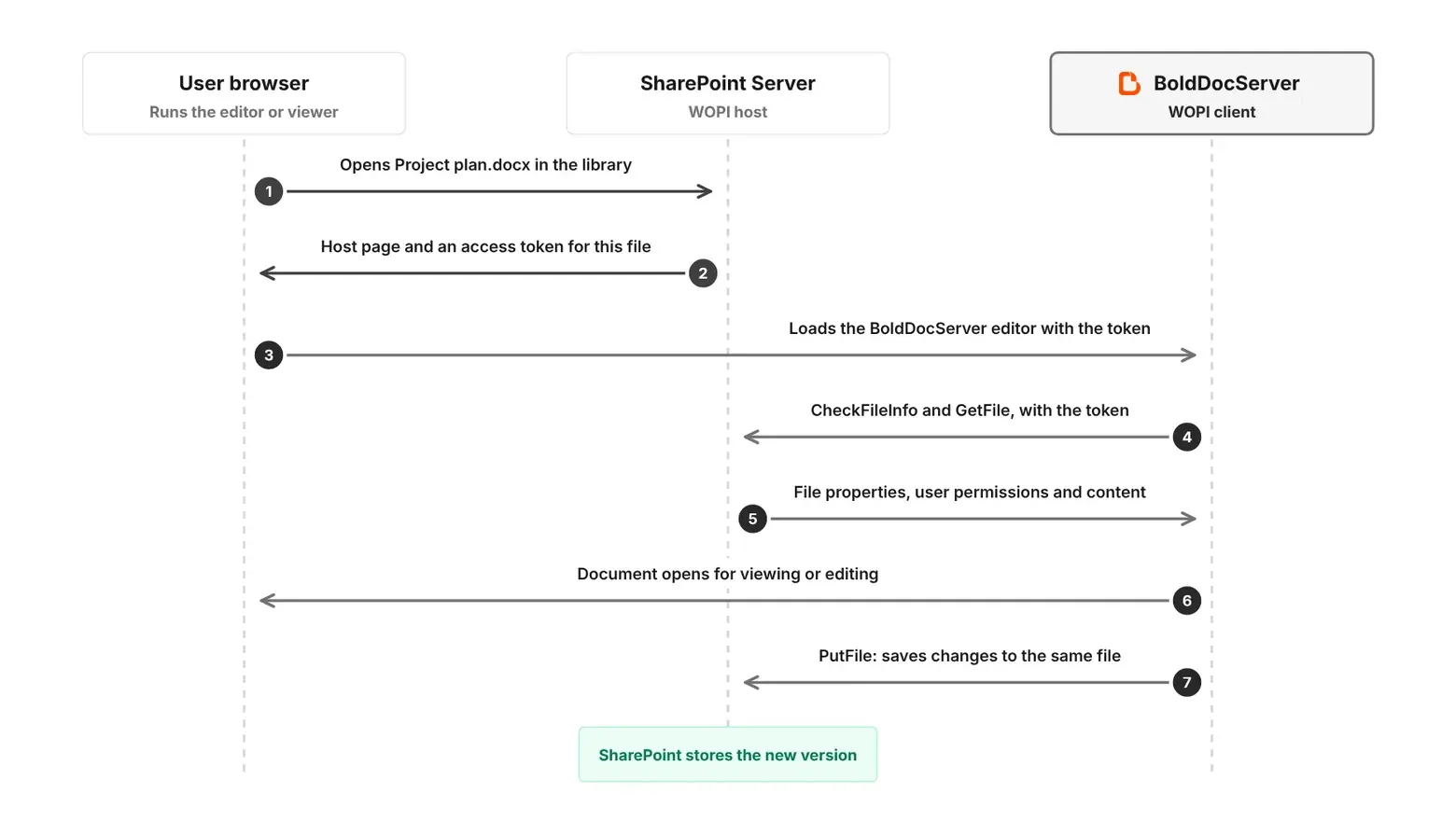
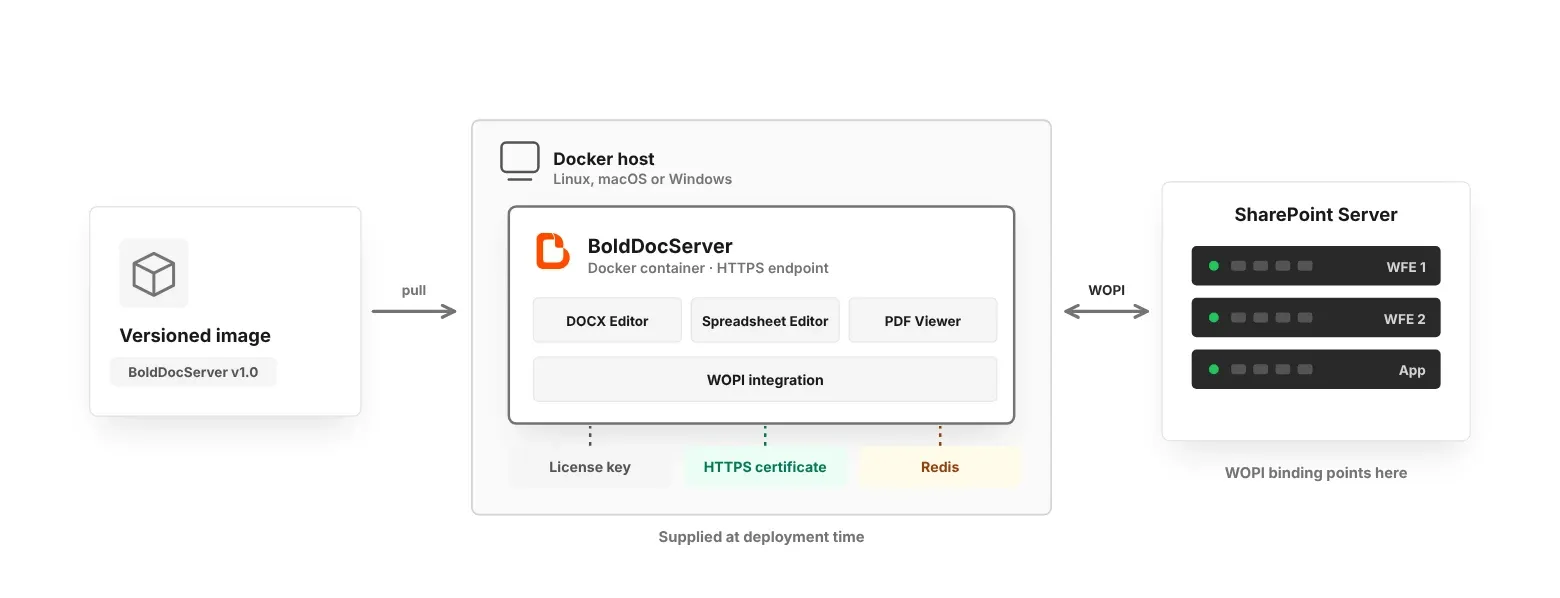
BoldDocServer connects Syncfusion editors and viewers to SharePoint Server through the Web Application Open Platform Interface (WOPI). SharePoint stores the documents, manages permissions and provides the WOPI endpoints; BoldDocServer serves the editors and handles reading and saving files with SharePoint.
How it works
- A user opens a file from a SharePoint library.
- The editor or viewer loads in the browser.
- BoldDocServer gets the document from SharePoint through WOPI.
- The user views or edits it, within their SharePoint permissions.
- Changes are saved back to the same file through WOPI.
Supported SharePoint versions
- SharePoint Server 2016
- SharePoint Server 2019
- SharePoint Server Subscription Edition
Word editing
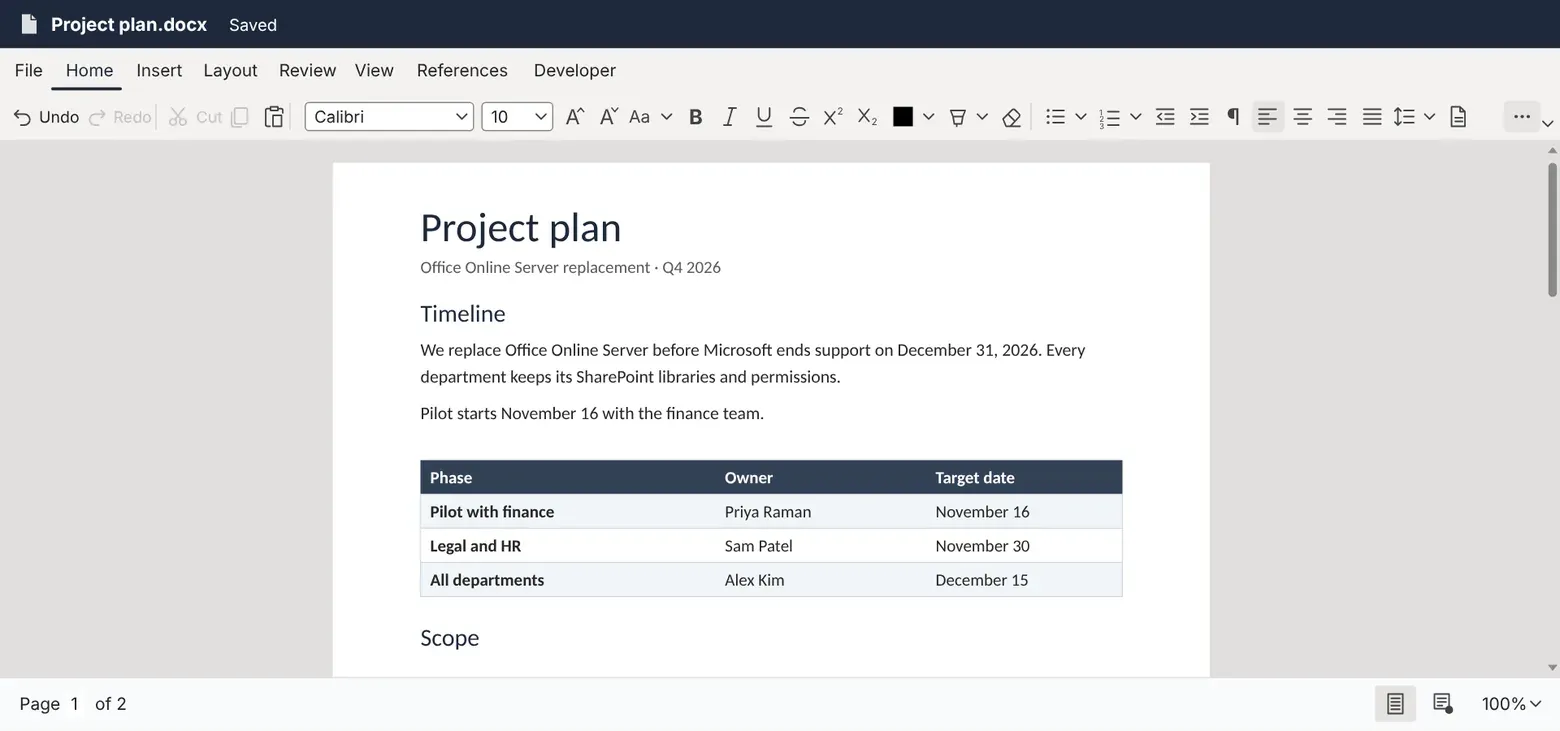
Word documents open in the Syncfusion DOCX Editor, where users can view, edit and auto-save them without leaving the browser.
Supported formats
DOCX, DOC, DOTX, DOCM, DOTM and DOT.
Spell check
The DOCX Editor finds spelling errors and suggests corrections, using dictionary files that your administrator adds.
Key capabilities
- Dictionaries are set per language, for example English (United States) and French.
- Two language dictionaries stay in memory by default;
SPELLCHECK_CACHE_COUNTchanges the number. - A custom dictionary configuration can be used with
SPELLCHECK_JSON_FILENAME.
Excel editing
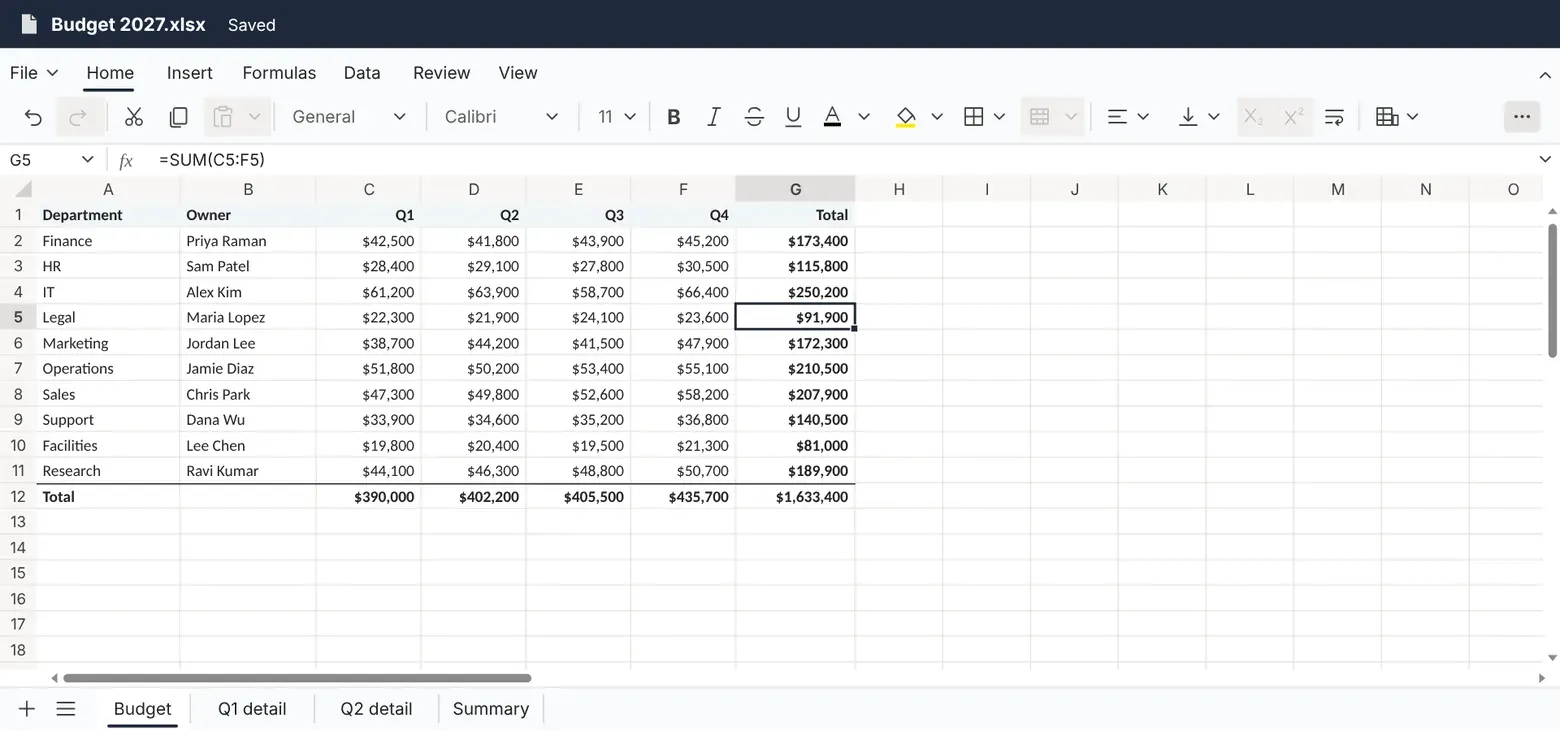
Workbooks open in the Syncfusion Spreadsheet Editor, where users can view, edit and auto-save them in the browser.
Supported formats
XLSX, XLS, CSV, XLSM and XLSB.
PDF viewing
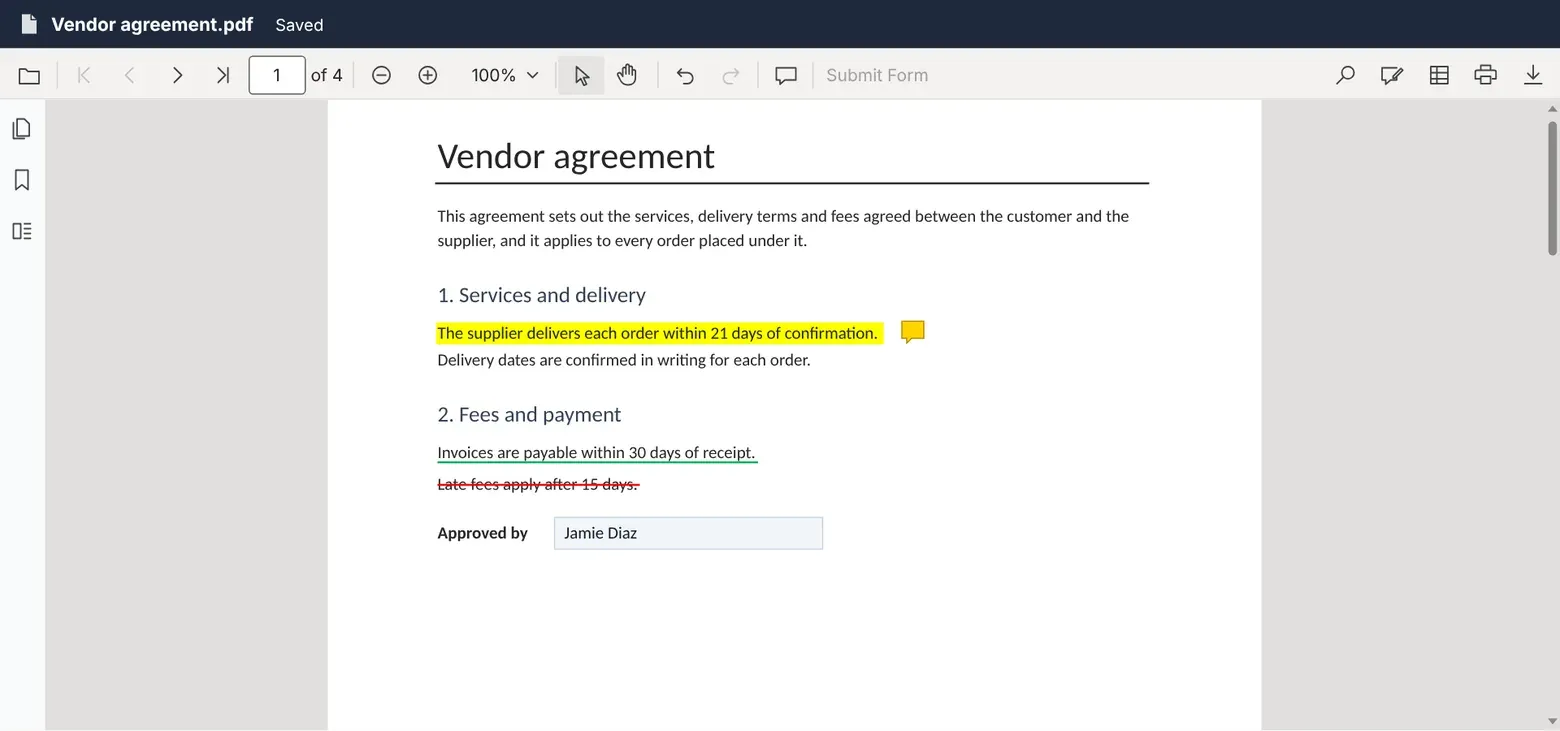
PDF files open in the Syncfusion PDF Viewer.
Key capabilities
- View PDF files in the browser.
- Add annotations and review changes.
- Fill in PDF forms.
- Save the changes back to SharePoint.
Collaborative editing
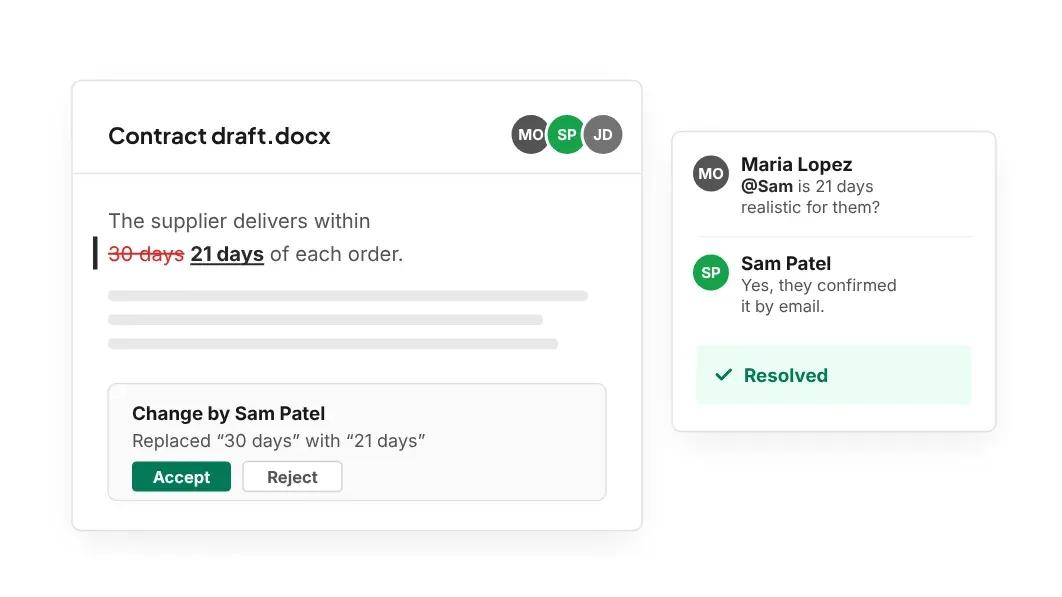
Users with edit permission can work on the same Word, Excel or PDF document at the same time, and see each other’s changes across separate browser sessions.
What you need
- Collaborative editing turned on with
ENABLE_COLLABORATIVE_EDITING. - A Redis connection, set with
REDIS_CACHE_CONNECTION_STRING. The Quick Start sets up both.
Auto-save and versions
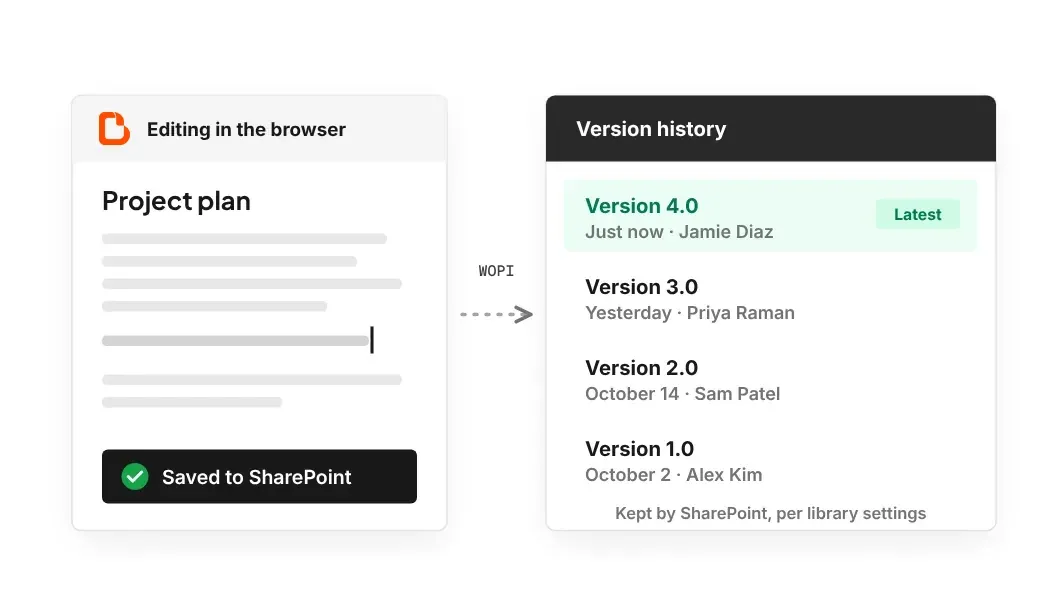
BoldDocServer saves changes back to SharePoint automatically, so users don’t need to save by hand.
Key capabilities
- Auto-save: changes are saved to SharePoint every 10 seconds by default.
AUTO_SAVE_INTERVALchanges the interval. - Version commits: a new version is committed every 5 minutes by default.
VERSION_COMMIT_INTERVALchanges the interval. - Version History: the SharePoint library’s versioning settings decide whether a save creates a new entry in Version History.
Permissions
SharePoint stays in charge of who can open and change each document.
- Users with view permission can read documents.
- Editing needs edit permission in SharePoint.
- SharePoint Server remains where the documents are stored.
Deployment
Deploy BoldDocServer with Docker on Linux, macOS and Windows, inside your network.
Key capabilities
- Runs in a Linux container with Docker Engine and the Docker Compose plugin, on a Linux, macOS or Windows host.
- NGINX or IIS provides the HTTPS address and forwards requests to BoldDocServer.
- Needs a valid TLS certificate and an inbound firewall rule for HTTPS.
- The Quick Start sets up an evaluation in a few steps: deploy, then open, edit, save and reopen a Word document.
Get started
Try BoldDocServer free for 30 days, or read the documentation to plan your deployment.